

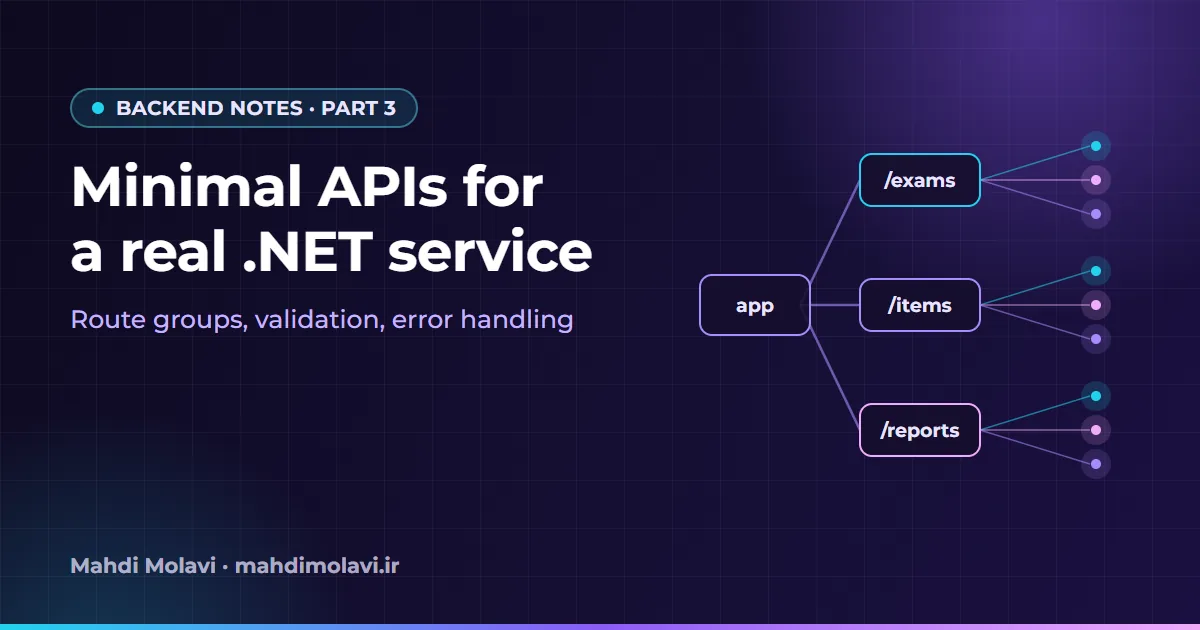
Minimal APIs have an image problem. The first demo everyone sees is a single Program.cs with five lambdas in it, and the natural conclusion is that they are for prototypes. In fact the lambdas are optional, and almost everything a controller-based service needs is there: grouping, filters, typed results, OpenAPI metadata and, since .NET 10, built-in validation. What Minimal APIs do not give you is a structure. You have to choose one.
At NovaTech I lead .NET 6/8 microservices development and set review standards for high-traffic features. In review, the question I care about is whether the fiftieth endpoint is as easy to find, test and change as the first. This note is the structure I use to get there, plus an upgrade path for services still on .NET 6 or 8.
Feature folders, not layers
Organize code by what it does for the user. Everything about exams lives in one folder: endpoints, request and response types, the service, its queries. A new developer looking for "how do we create an exam" opens one folder instead of five.
src/Exams.Api/
  Program.cs
  Features/
    Catalog/
      CatalogEndpoints.cs
      CatalogQueries.cs
    Exams/
      ExamEndpoints.cs
      CreateExamRequest.cs
      ExamService.cs
      ExamsFeature.cs        // AddExamsFeature(): registers this feature's services
  Infrastructure/
    ValidationFilter.cs
    RedisHealthCheck.cs
Program.cs becomes a table of contents. It wires up cross-cutting services and middleware, then calls one MapXxxEndpoints() per feature:
var builder = WebApplication.CreateBuilder(args);

builder.Services.AddProblemDetails(o => o.CustomizeProblemDetails = ctx =>
    ctx.ProblemDetails.Extensions["traceId"] = Activity.Current?.Id ?? ctx.HttpContext.TraceIdentifier);

builder.Services.AddAuthentication().AddJwtBearer();      // settings come from configuration
builder.Services.AddAuthorizationBuilder()
    .AddPolicy("ExamAuthor", p => p.RequireRole("author"));

builder.Services.AddOutputCache(o =>
    o.AddPolicy("Catalog", b => b.Expire(TimeSpan.FromMinutes(5)).Tag("catalog")));

builder.Services.AddRateLimiter(o =>
{
    o.RejectionStatusCode = StatusCodes.Status429TooManyRequests;
    o.AddPolicy("per-client", ctx => RateLimitPartition.GetTokenBucketLimiter(
        ctx.User.Identity?.Name ?? ctx.Connection.RemoteIpAddress?.ToString() ?? "anonymous",
        _ => new TokenBucketRateLimiterOptions
        {
            TokenLimit = 20,
            TokensPerPeriod = 10,
            ReplenishmentPeriod = TimeSpan.FromSeconds(1),
            QueueLimit = 0,
        }));
});

builder.Services.AddHealthChecks()
    .AddCheck<RedisHealthCheck>("redis", tags: new[] { "ready" });

builder.Services.AddCatalogFeature();
builder.Services.AddExamsFeature();

var app = builder.Build();

app.UseExceptionHandler();
app.UseStatusCodePages();
app.UseAuthentication();
app.UseAuthorization();
app.UseRateLimiter();
app.UseOutputCache();

app.MapHealthChecks("/health/live", new HealthCheckOptions { Predicate = _ => false });
app.MapHealthChecks("/health/ready", new HealthCheckOptions { Predicate = c => c.Tags.Contains("ready") });

app.MapCatalogEndpoints();
app.MapExamEndpoints();

app.Run();

public partial class Program { }     // lets WebApplicationFactory<Program> find the entry point
Route groups and typed results
Each feature exposes one extension method that creates a route group. The group carries everything its endpoints share: the URL prefix, the OpenAPI tag, the authorization policy, the rate limit. Individual endpoints then declare only what is specific to them. Groups also nest: a child group for /api/exams/{id}/sections inherits the parent's prefix and policies, so nested resources do not repeat them.
public static class ExamEndpoints
{
    public static IEndpointRouteBuilder MapExamEndpoints(this IEndpointRouteBuilder app)
    {
        var group = app.MapGroup("/api/exams")
            .WithTags("Exams")
            .RequireAuthorization("ExamAuthor")
            .RequireRateLimiting("per-client");

        group.MapGet("/{id:int}", GetById);
        group.MapPost("/", Create).AddEndpointFilter<ValidationFilter<CreateExamRequest>>();
        return app;
    }

    private static async Task<Results<Ok<ExamDto>, NotFound>> GetById(
        int id, IExamService exams, CancellationToken ct) =>
        await exams.FindAsync(id, ct) is { } exam ? TypedResults.Ok(exam) : TypedResults.NotFound();

    private static async Task<Created<ExamDto>> Create(
        CreateExamRequest request, IExamService exams, IOutputCacheStore cache, CancellationToken ct)
    {
        var exam = await exams.CreateAsync(request, ct);
        await cache.EvictByTagAsync("catalog", ct);
        return TypedResults.Created($"/api/exams/{exam.Id}", exam);
    }
}
Handlers are named static methods, not lambdas. They show up properly in stack traces, they can be unit tested directly, and the file reads like an index. Returning TypedResults with a Results<Ok<ExamDto>, NotFound> signature does two jobs: the compiler stops you returning a status code you did not declare, and the OpenAPI document learns every possible response without extra attributes.
Validation
On .NET 10 the framework validates Minimal API parameters itself. Call builder.Services.AddValidation(), put DataAnnotations attributes on your request types, and invalid requests get a 400 response with the validation errors, before your handler runs.
On .NET 6 and 8 you need to do it yourself, and an endpoint filter is the cleanest place. (Filters arrived in .NET 7, so on .NET 6 the check lives at the top of the handler.) This generic filter uses DataAnnotations, so moving to AddValidation() later means deleting the filter while the rules stay where they are:
public sealed class ValidationFilter<T> : IEndpointFilter where T : class
{
    public async ValueTask<object?> InvokeAsync(EndpointFilterInvocationContext ctx, EndpointFilterDelegate next)
    {
        var arg = ctx.Arguments.OfType<T>().FirstOrDefault();
        if (arg is null)
            return TypedResults.Problem("Request body is missing.", statusCode: StatusCodes.Status400BadRequest);

        var results = new List<ValidationResult>();
        if (Validator.TryValidateObject(arg, new ValidationContext(arg), results, validateAllProperties: true))
            return await next(ctx);

        var errors = results
            .SelectMany(r => r.MemberNames.DefaultIfEmpty(""), (r, member) => (member, r.ErrorMessage))
            .GroupBy(x => x.member)
            .ToDictionary(g => g.Key, g => g.Select(x => x.ErrorMessage ?? "Invalid value.").ToArray());
        return TypedResults.ValidationProblem(errors);
    }
}

public sealed record CreateExamRequest
{
    [Required, StringLength(200)] public string Title { get; init; } = "";
    [Range(1, 600)] public int DurationMinutes { get; init; }
}
One trap: with Validator.TryValidateObject, attributes on a positional record parameter, as in record CreateExamRequest([Required] string Title), are attached to the constructor parameter, not the property, so the validator never sees them. Use properties as above, or target them explicitly with [property: Required]. Validation that needs a database (is this title unique?) belongs in the handler or service, not in attributes.
Errors as ProblemDetails
AddProblemDetails() together with UseExceptionHandler() and UseStatusCodePages() turns unhandled exceptions and empty error responses into problem details (RFC 9457, the successor of RFC 7807), with a traceId that matches your logs. Clients get one error format everywhere, including the empty error responses that middleware such as the rate limiter produces. To map your own exceptions to specific status codes, .NET 8 added IExceptionHandler, registered with AddExceptionHandler<T>(). Never put exception messages or stack traces in the response in production; the trace id is enough to find them in the logs.
Output caching
Output caching (.NET 7 and later) stores whole responses on the server. It suits public, read-heavy endpoints such as a published exam catalog. Named policies keep the rules in one place, and tags let a write evict exactly what it changed, as Create does above with EvictByTagAsync("catalog").
Know the defaults before you rely on it. Only GET and HEAD requests with a 200 response are cached, responses that set cookies are not, and neither are authenticated requests. The last rule is a safety feature, which is why the catalog in this layout is a separate, public group and the authoring endpoints are not cached at all. The default store is in memory, per instance; .NET 8 added a Redis-backed store when several instances need to share cached responses and evictions.
Rate limiting
ASP.NET Core's rate-limiting middleware (.NET 7 and later), built on the limiters in System.Threading.RateLimiting, offers fixed window, sliding window, token bucket and concurrency limiters, attached to endpoints or groups by policy name. The partitioned policy above gives each user, or each IP address for anonymous calls, its own token bucket. The numbers in the example are placeholders; set real ones from measured traffic.
Remember that these limits live in each process. With four instances behind a load balancer, a client can get roughly four times the configured rate. That is fine for protecting each instance from overload. If you need a hard global limit, enforce it at the gateway or with a shared store.
Health checks
Expose two endpoints with different meanings. Liveness answers "is the process alive?" and runs no dependency checks, which is what Predicate = _ => false does. Readiness answers "should this instance receive traffic?" and runs the checks tagged ready. Keep the database out of liveness: if SQL Server has a bad minute, you want instances taken out of rotation, not every container restarted at once.
public sealed class RedisHealthCheck(IConnectionMultiplexer redis) : IHealthCheck
{
    public async Task<HealthCheckResult> CheckHealthAsync(
        HealthCheckContext context, CancellationToken cancellationToken = default)
    {
        try
        {
            var latency = await redis.GetDatabase().PingAsync();
            return HealthCheckResult.Healthy($"PING {latency.TotalMilliseconds:F0} ms");
        }
        catch (Exception ex)
        {
            return HealthCheckResult.Unhealthy("Redis is unreachable", ex);
        }
    }
}
An upgrade path from .NET 6 and 8
.NET 6 is already out of support, and .NET 8 support ends in November 2026, so many services are making this move now. What each version added to Minimal APIs, in short:
- .NET 7: route groups, endpoint filters,
TypedResultsandResults<…>, output caching, rate limiting,[AsParameters]. - .NET 8:
IExceptionHandler, form binding with antiforgery, Native AOT support for Minimal APIs, keyed services. - .NET 9: built-in OpenAPI document generation with
AddOpenApi()andMapOpenApi();HybridCachefollowed as a separate package, stable since March 2025. - .NET 10: built-in validation with
AddValidation(), and OpenAPI 3.1 support.
The order I would do it in: retarget and update the Microsoft packages first, reading the breaking-change notes for every version you skip. Then replace hand-rolled prefix helpers with MapGroup and move shared concerns onto the groups. Convert Results.X to TypedResults endpoint by endpoint. Finally swap the validation filter for AddValidation() where DataAnnotations covers the rules, and keep custom validation where it needs services. Run the integration tests after every step.
Testing with WebApplicationFactory
Those integration tests are what make the upgrade, and every refactor, boring. WebApplicationFactory<Program> from Microsoft.AspNetCore.Mvc.Testing runs the real application in memory, with the real middleware pipeline, routing, serialization and error handling, and lets you replace individual services:
public sealed class CatalogApiTests(WebApplicationFactory<Program> factory)
    : IClassFixture<WebApplicationFactory<Program>>
{
    [Fact]
    public async Task Unknown_exam_returns_problem_details()
    {
        var client = factory.WithWebHostBuilder(b => b.ConfigureTestServices(services =>
        {
            services.RemoveAll<IExamCatalog>();
            services.AddSingleton<IExamCatalog, InMemoryExamCatalog>();
        })).CreateClient();

        var response = await client.GetAsync("/api/catalog/999");

        Assert.Equal(HttpStatusCode.NotFound, response.StatusCode);
        Assert.Equal("application/problem+json", response.Content.Headers.ContentType?.MediaType);
    }
}
This one test checks routing, the handler, the status-code middleware and the ProblemDetails setup together, which a unit test of the handler alone would not. For authenticated endpoints, register a test authentication handler in ConfigureTestServices. For data access, a real SQL Server in a container (Testcontainers makes this easy) catches query and migration problems that an in-memory fake hides.
None of these pieces is new on its own. The gain comes from giving each concern exactly one home, so a reviewer always knows where to look. If you are planning a migration like this, it is part of the backend work I do. The next note leaves .NET for Python: turning a pile of exam PDFs into a structured question bank, with an LLM in the loop.
This note is also available in Persian: read the Persian version.